Conference Calls Plagued by Echo and Dropouts? What's Wrong With the Room
July 6, 2026
Quick Answer: Conference calls plagued by echo, muddy audio, and dropouts usually trace to the room and its AV setup, not just the software. Echo comes from a room's hard surfaces and mics picking up the speakers, poor audio from bad mic placement or cheap equipment for the room size, and dropouts from network or connection issues. A room that wasn't set up for conferencing, wrong or too-few mics, no acoustic treatment, an overtaxed connection, produces exactly these problems. A properly designed AV setup matched to the room is what delivers clear, reliable calls.
If your video conferences are a constant battle with echo, garbled or distant-sounding voices, people talking over glitches, and calls that drop or freeze, it's tempting to blame the platform or the internet. But more often than not, the real culprit is the room itself and the AV setup in it. A conference room that wasn't properly designed for calls will produce these exact frustrations no matter which software you use.
Good conferencing is an audio, video, and network challenge that plays out in a physical space. Echo, poor sound, and dropouts each have specific, addressable causes rooted in the room's acoustics, its microphones and speakers, and its connection. Understanding what's actually going wrong, and why it's usually the room and setup rather than bad luck, points to how a properly designed conference room delivers clear, reliable calls. For any business tired of rough meetings, here's what's behind the problems and how the right AV setup fixes them.
Echo, Poor Audio, and Dropouts: The Causes
Each of the common complaints has identifiable causes in the room and setup. Knowing them shows what needs fixing.
Echo
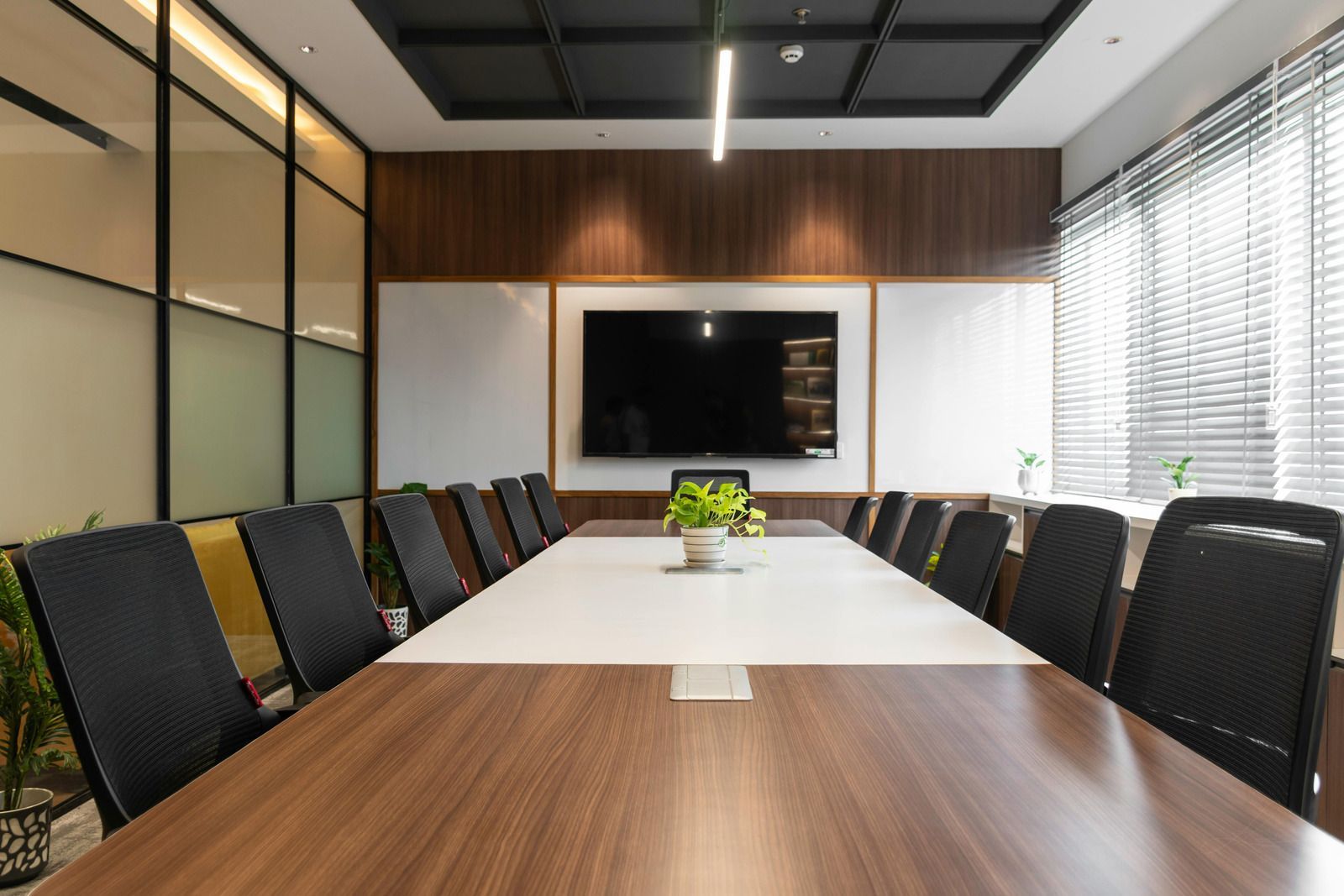
Echo usually comes from two things: the room's acoustics and the audio loop. Hard surfaces, bare walls, glass, hard floors, tables, reflect sound so it bounces around (reverberation), making voices echoey and muddy. And echo can be created when microphones pick up the sound coming out of the speakers and send it back. Proper mic and speaker setup (with echo cancellation) and some acoustic treatment address both. A hard, untreated room with a poorly configured mic/speaker setup is a recipe for echo.
Poor or distant audio
When people sound far away, muffled, or uneven, it's usually a microphone problem: too few mics, poorly placed mics, or mics not suited to the room size, so they don't capture everyone clearly. Cheap or wrong equipment for the space leaves some voices distant and others too loud. Proper microphones, correctly placed and matched to the room, capture everyone evenly.
Dropouts and freezing
Calls that drop, freeze, or glitch are typically network or connection issues, insufficient or unstable internet, an overtaxed connection, or connection problems in the room, rather than an audio problem. A solid, adequate network connection is essential for reliable calls, and dropouts point there.
Video problems
Poor or awkward video, bad framing, low quality, comes down to the camera and its setup for the room.
The pattern is that each symptom maps to a specific part of the AV system, echo to acoustics and mic/speaker setup, poor audio to microphones, dropouts to the network, and each is addressable. The problems aren't random; they're the predictable result of a room and setup that weren't designed for good conferencing.
Tip:
Notice which problem dominates your calls, it points to the fix. Constant echo? That's acoustics and mic/speaker setup. People sounding distant or uneven? That's microphones, likely too few or poorly placed for the room. Frequent freezing and dropouts? That's the network connection. Muddy sound in a glassy, hard-surfaced room? Acoustics. Identifying whether your main pain is echo, audio pickup, or dropouts helps an AV professional target the right part of the room's setup rather than guessing..
How a Proper AV Setup Fixes It
Because the problems are rooted in the room and its equipment, a conference room designed and set up properly for calls solves them. Here's how the right setup addresses each.
Right microphones, properly placed
A proper setup uses microphones suited to the room and positioned to capture everyone clearly and evenly, so no one sounds distant or muffled. This is central to good call audio and is where many rooms fall short.
Quality speakers and echo management
Good speakers plus proper configuration and echo cancellation stop the mic-speaker loop that causes echo, so remote participants hear cleanly and aren't echoed back.
Acoustic treatment for the room
Addressing the room's acoustics, taming hard, reflective surfaces so sound doesn't bounce and reverberate, reduces echo and muddiness at the source, making voices clear.
A solid network connection
Ensuring the room has an adequate, stable connection for conferencing eliminates the dropouts and freezing that come from network problems, delivering reliable calls.
Proper camera and video setup
A good camera set up for the room provides clear, well-framed video to match the clean audio.
Designed as a system for the room
Crucially, these aren't picked at random, a good AV setup is designed for the specific room's size, shape, and use, so the mics, speakers, acoustics, camera, and connection all work together. That system design, matched to the room, is what separates a conference room that just works from one that constantly frustrates.
The result is calls that are clear, echo-free, and reliable, because the room and its AV are set up to support them. For a business, that's the difference between meetings that work and meetings that waste time on "can you hear me now?"
Warning: Be cautious about trying to fix chronic conference-call problems by just buying a gadget or switching software, without addressing the actual cause in the room. A single add-on mic in a hard, echoey room, or a new platform on the same overtaxed connection, often won't solve echo, poor audio, or dropouts, because those stem from the room's acoustics, equipment, and network as a system. Piecemeal fixes that ignore the room tend to disappoint. A setup designed for your specific room is what reliably delivers clear, dependable calls.
Frequently Asked Questions
Why are my conference calls full of echo and dropouts?
Usually because of the room and its AV setup, not the software. Echo comes from hard, reflective surfaces and mics picking up the speakers; poor audio from too few or poorly placed microphones; and dropouts from network or connection problems. A room that wasn't designed for conferencing produces exactly these issues regardless of the platform, which is why switching software rarely fixes them.
Isn't it the meeting software's fault?
Rarely the root cause. The software can only work with the audio and connection the room provides. If the room has bad acoustics, inadequate microphones, or an unstable connection, you'll get echo, poor audio, and dropouts on any platform. That's why the fix is addressing the room and its AV setup, not repeatedly switching conferencing software and hoping.
What causes echo specifically?
Two things, often together: the room's acoustics (hard surfaces like glass, bare walls, and hard floors reflect sound so it bounces and reverberates) and the audio loop (microphones picking up sound from the speakers and sending it back). Proper mic and speaker setup with echo cancellation, plus some acoustic treatment to tame reflective surfaces, addresses both and stops the echo.
Why do people sound distant or muffled on our calls?
That's typically a microphone problem, too few mics, poorly placed ones, or mics not suited to the room's size, so they don't capture everyone clearly and evenly. Cheap or wrong equipment for the space leaves some voices far away and others too loud. Proper microphones, correctly placed and matched to the room, are what capture everyone clearly.
What causes calls to freeze or drop?
Usually network or connection issues, an insufficient, unstable, or overtaxed internet connection, or connection problems in the room, rather than an audio issue. Reliable calls need a solid, adequate connection. If your main problem is freezing and dropping (as opposed to echo or audio quality), the network is the place to look, and to fix.
Can acoustic treatment really improve our calls?
Yes. Much conference-call echo and muddiness comes from sound bouncing off hard, reflective surfaces in the room. Addressing those acoustics, so sound doesn't reverberate, reduces echo and makes voices clearer at the source, complementing good microphones and echo cancellation. A hard, glassy, untreated room is a common reason calls sound echoey, so treating the acoustics is often part of the fix.
How does a proper AV setup fix all this?
By addressing each cause as part of a system designed for your room: microphones suited to and placed for the space, quality speakers with echo management, acoustic treatment for the room's surfaces, a solid network connection, and a proper camera, all matched to the room's size, shape, and use so they work together. That coordinated, room-specific design is what delivers clear, echo-free, reliable calls.
Meetings That Just Work
Conference calls plagued by echo, poor audio, and dropouts are almost always a room-and-setup problem, not a software one. Echo traces to hard surfaces and the mic-speaker loop, distant or muddy audio to inadequate or poorly placed microphones, and dropouts to the network connection, and each is fixable. The solution is an AV setup designed for your specific room: the right mics, speakers with echo management, acoustic treatment, a solid connection, and a proper camera, all working together. Address the room rather than swapping software, and your meetings go from a constant "can you hear me?" struggle to calls that simply work.
Turn frustrating conference calls into meetings that just work — Echo, muddy audio, and dropped calls are usually caused by the room's acoustics and AV setup, not the conferencing platform. Simply changing software or adding another device rarely solves the problem. With 35
years of experience, Audio Video Exclusives
provides professional
conference room AV installation
services in Seattle, WA, designing systems with the right microphones, speakers, cameras, acoustics, and connectivity for your space. Reach out today to have your meeting room set up for clear, reliable communication every time.